
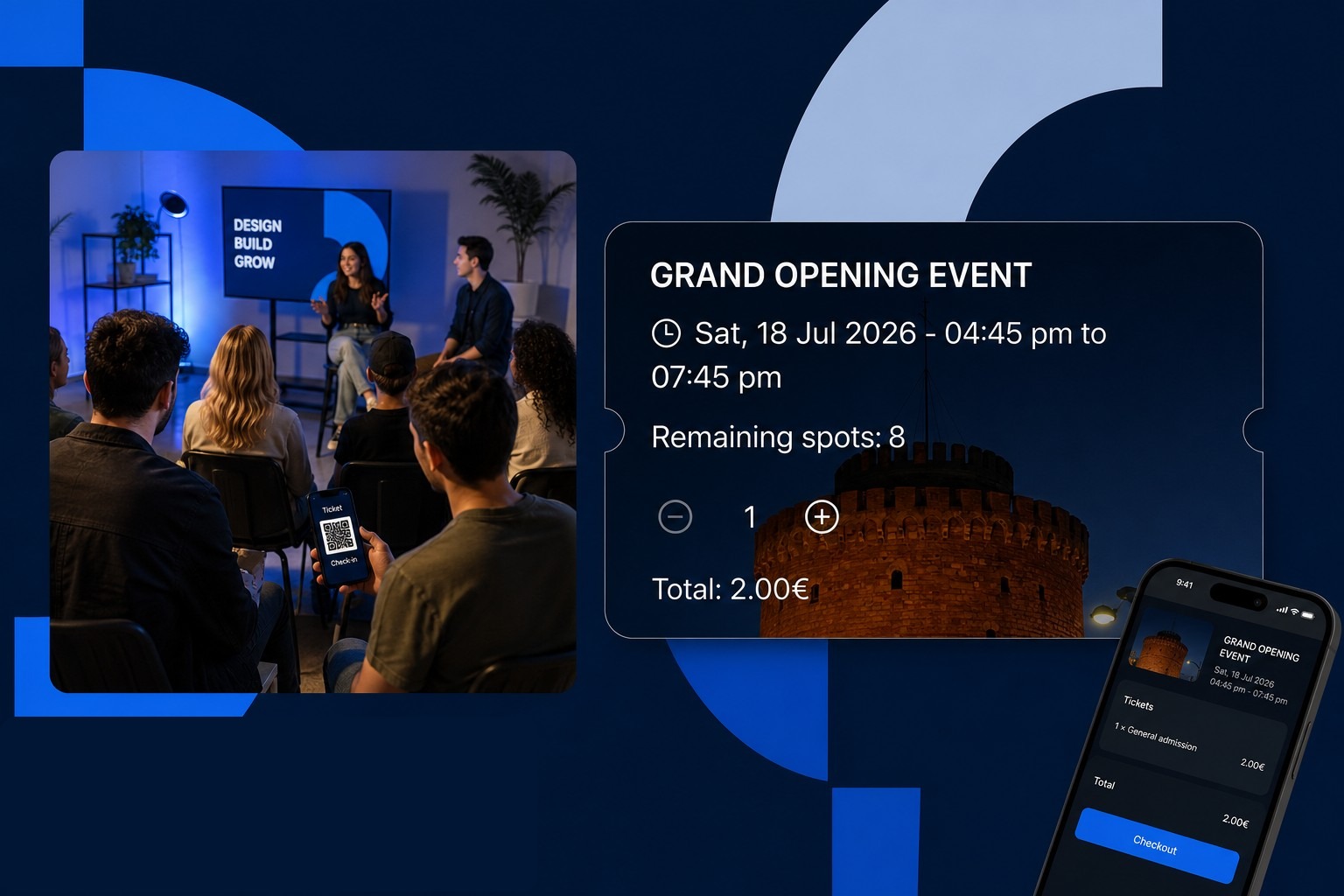
How to sell workshop and event tickets without a separate tool
Workshops, masterclasses and pop-ups need payments and capacity limits, not just a Doodle poll.
A workshop is not a 45-minute haircut. You have a room, a start time, a hard capacity, maybe early-bird pricing, and people who will not show unless they have already paid. Spreadsheets, Instagram DMs and a separate ticketing site create three lists that never match. Someone pays on one tool, the calendar on another still shows a free seat, and the door list is a screenshot in WhatsApp.
On Planoora, an event is a first-class booking type in the same Store as your appointments. You set the name, date, time, location, capacity and price. Clients buy seats from your Store link or from the Planoora app. Remaining spots update live. The same client who books a regular service can also hold a ticket, so you are not stitching CRM records by hand.
What “good” looks like on the ticket
The client should see the event title, when it starts and ends, how many spots are left, a quantity stepper, and a total they can pay now. That is the flow in Planoora Store events: remaining spots, plus and minus, total, checkout. No “comment below if you are coming”.
At the venue, a QR on the ticket or a scanner flow beats a printed list. Last-minute walk-ups can still buy a leftover seat from the same Store QR on the door.
Price and capacity without guessing
Cap the room at the real legal and comfortable number, not at “we will squeeze two more”. When spots hit zero, sales stop. If you always sell out, add a waitlist so cancellations refill instead of leaving an empty chair the night before.
Use early-bird from your Store link for people who already follow you. Open leftover seats to the Planoora marketplace when you want new faces in the room. Store-link tickets keep 0% platform fee. App discovery is for growth, not for taxing your own community.
Deposits or full prepay matter more for events than for a regular cut. A €2 placeholder ticket teaches nothing. A real ticket price, paid at checkout, is the reminder.
Run classes and 1:1 in one week
Studios that mix personal training, group classes and weekend workshops often keep two products on two subscriptions. That is how refunds get missed and instructors get double-booked against the room.
Put the 1:1 sessions on staff columns. Put the Friday workshop on events with its own capacity. If a room or a boat is shared, put it on resources so the calendar cannot sell the same asset twice. One live calendar is the whole point of Planoora Store.
Promotion that does not depend on luck
Share one link in stories, the newsletter and the printed poster. Change the poster less often than you think. The link always shows live remaining spots, so you never print “12 seats left” when there are three.
After the event, the attendees are already in your client list. Invite them to book the next service or the next date from the same Store. That is how a pop-up becomes a repeat calendar, not a one-off hustle.
FAQ
Can I sell more than one ticket per person?
Yes. Quantity on the event ticket is part of checkout. Capacity counts every seat, not every customer account.
What if I also need overnight stays or rentals?
Those are range bookings, not event tickets. Planoora supports both in the same Store so a hospitality or rental business is not forced into a salon-only grid.